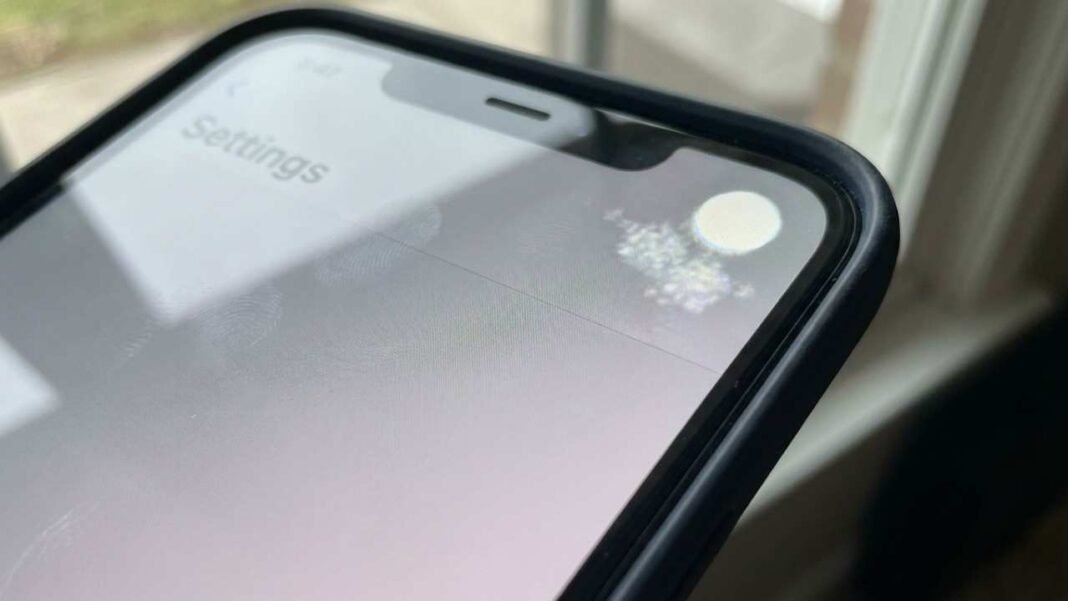

Seeing a white or bright spot on your iPhone screen? You’re not alone. Many iPhone users see these tiny white dots or cloudy patches, mostly when the screen is dark. It can be a little alarming initially, but there’s generally a straightforward cause – and often, a solution.
What Makes White Spots Show Up on iPhone Screens?
One really common reason is pressure.iPhones are slim. If you press them too hard – like sitting on them, keeping them in a tight pocket, or piling books on top – you can mess up the screen. This pressure can cause bright or white spots because the screen gets pushed against the insides. Also, dropping your phone can easily do it, too. Even if the glass isn’t cracked, a drop can hurt the inside layers of the screen. This damage might not jump out at you, but it can show up later as a white spot.Too much heat can also be a problem. If you leave your iPhone in a hot car, or use it for hours while it’s getting hot, this can mess with the screen. Heat can weaken the parts inside and give you spots.Sometimes, it’s just a mistake made when the phone was built. It’s kinda rare, but display problems can happen even if you haven’t dropped your phone or put pressure on it, especially if the phone is pretty new.
Is the White Spot a Software Glitch?
Usually, a white spot isn’t caused by the software. Before you go blaming the tech, try some quick fixes first. Restart your iPhone, update the software, or reset the display options. If the white spot shows up in screenshots, then it might be a software problem. If not, the screen itself is almost surely the issue.
Can You Fix a White Spot Yourself?
You probably can’t fix it completely yourself. Some folks try dimming the screen or using dark mode to hide the spot a bit. You might hear about pressing on the screen, but be careful; that could mess things up even more. A screen protector won’t get rid of the white spot, but it will stop damage from getting worse and protect it from more pressure.
When to Get Help From a Pro
If the white spot gets bigger, brighter, or starts getting in the way, go to an Apple Authorized Service Center. If your iPhone is under warranty and doesn’t have any obvious damage, Apple might fix or replace the screen.If your phone is older, getting the screen replaced by another company is often easier on your wallet. A tech can tell you if you need a whole new screen or if something else inside is causing the problem.
Final Thoughts
That white spot on your iPhone screen? Okay, so it’s probably just the screen acting up because of pressure or something, not like, a virus or the whole thing crashing. It’s a pain, I know. But figuring out why it’s there helps you decide if you can deal with it as is, baby it a bit, or just get the thing repaired.